
We’ve added an enhancement to your Online Dentist Account that makes it easier to manage your Explanation of Payment (EOP) documents.
You can now mark EOPs as “Read” after reviewing them. EOPs marked as Read are hidden from the default view, helping you keep your Payments page organized and focus on EOPs that still need your attention. You can view previously read EOPs at any time.
This enhancement is similar to functionality available through the Delta Dental National Provider Portal, where offices enrolled in National Electronic Funds Transfer (EFT) can view EFT Explanation of Payments from Delta Dental member companies.
How It Works
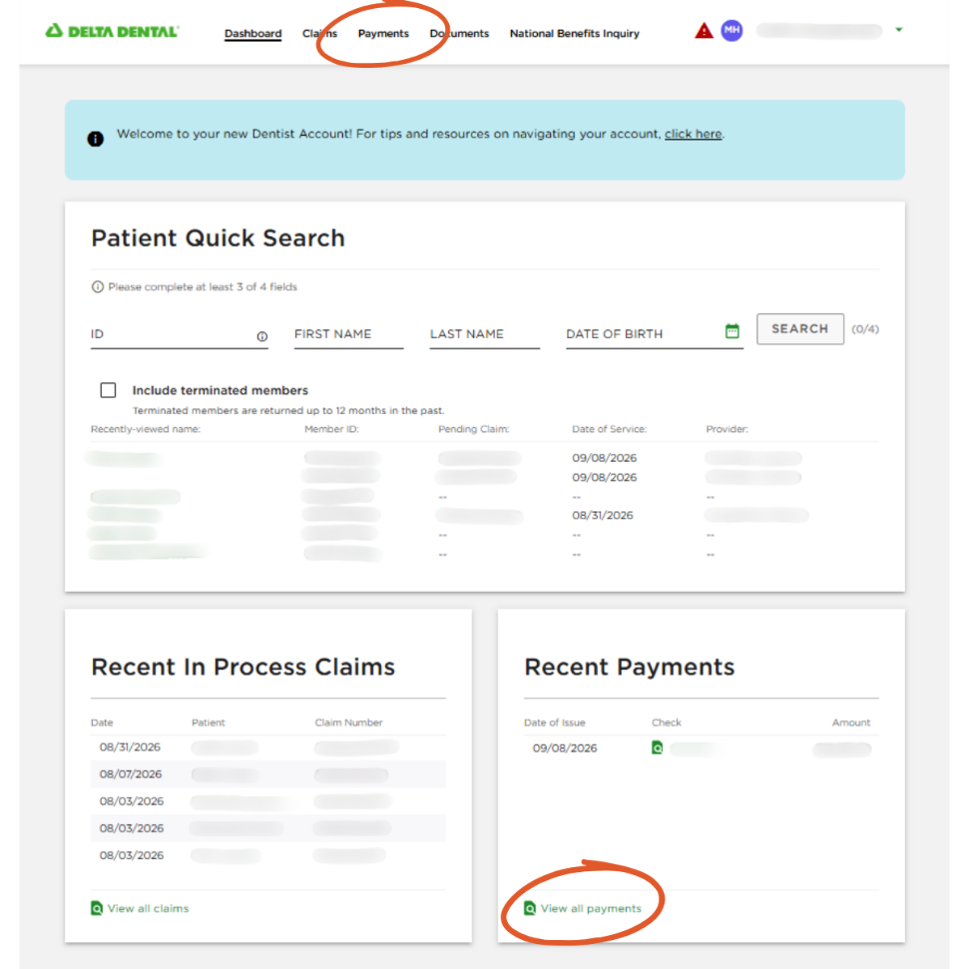
From the Online Dentist Account dashboard, select “Payments” at the top of the page or “View All Payments” in the Recent Payments section.
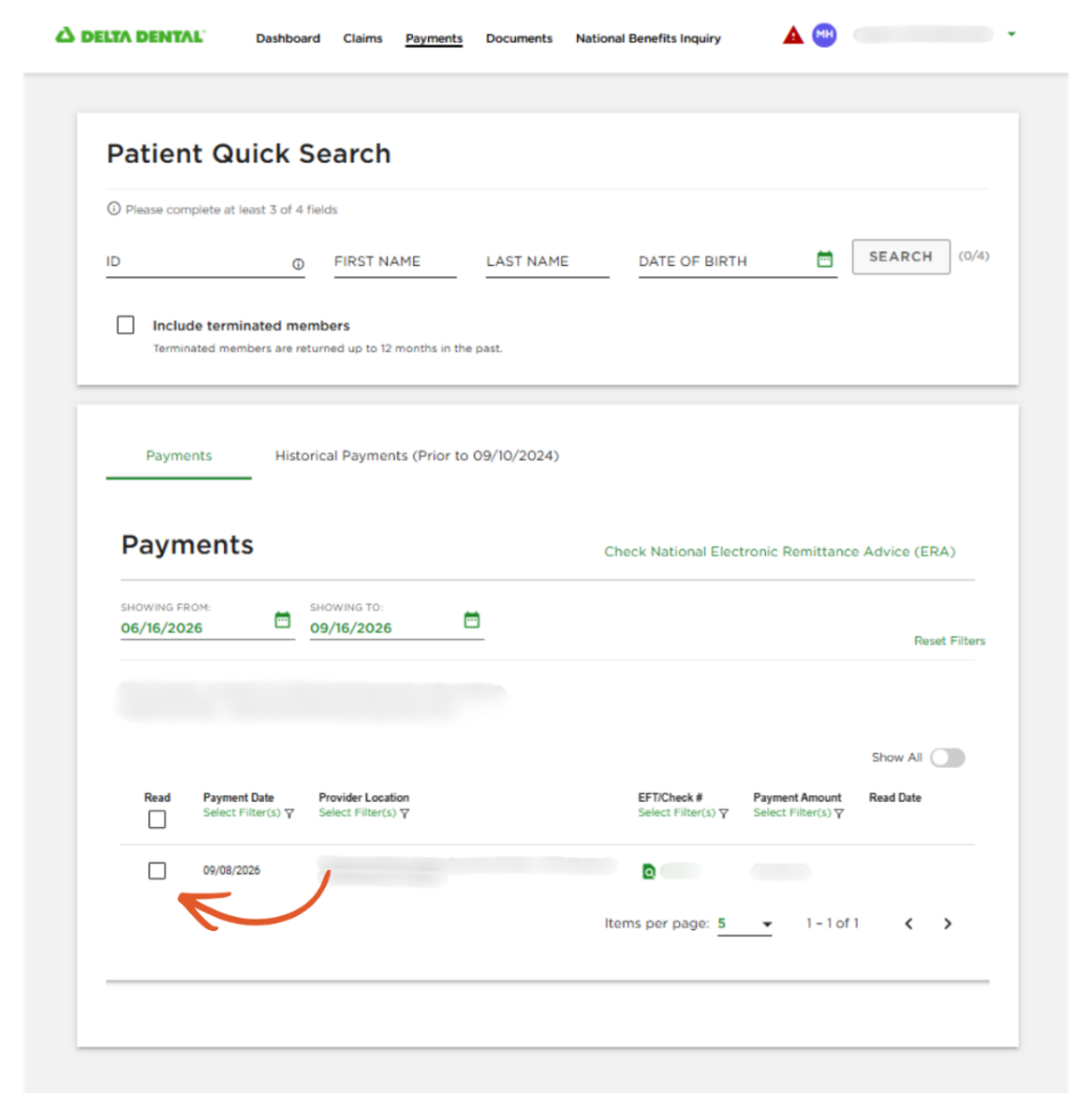
After reviewing an EOP, select the checkbox in the “Read” column on the far left. Once marked as Read, the EOP will be hidden from the default view.
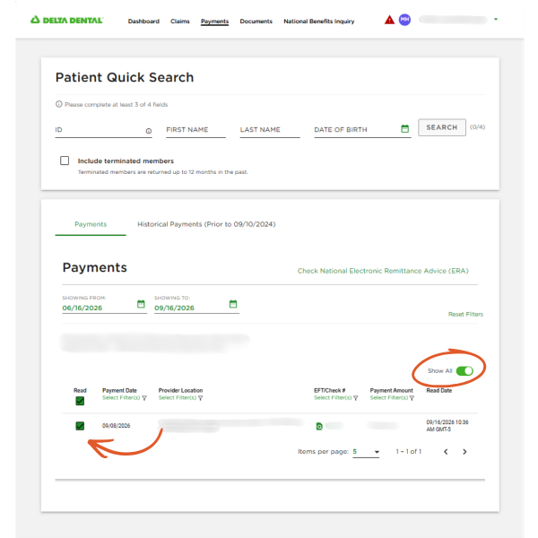
Turn on the “Show All” toggle to view EOPs that have been marked as Read. To return an EOP to your default view, uncheck the box in the Read column. The EOP will be marked as Unread and will appear in the default view again.
We appreciate your continued partnership and hope this enhancement makes it easier to manage and review your EOPs.